Plan 3D Lifting Operations Accurately, Safely and Customized to Your Crane Fleet
Why Choose LiftPlanner?
LiftPlanner is more than just a drawing tool, it is a comprehensive lifting planning system that helps reduce risks, improve efficiency, and ensure safety compliance.
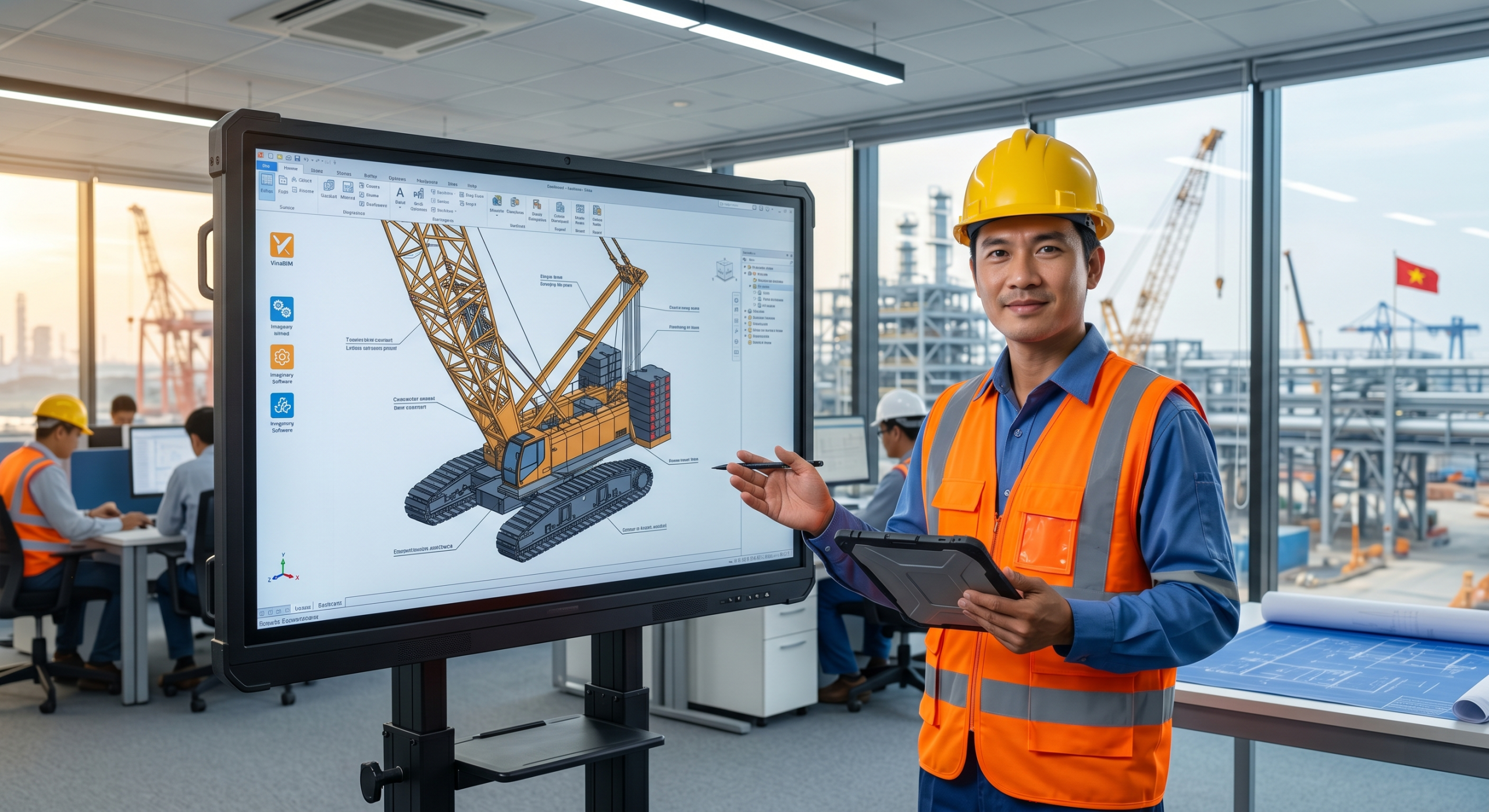
Custom 3D Crane Fleet Models
- No generic crane models each crane reflects the actual technical specifications
- Engineers operate visually on a 3D model without relying on mental visualization
- Reduces errors from selecting the wrong crane type or incorrect crane parameters
- Accelerates the lift planning workflow from concept to approval
Built-In Safety Warnings
- Two-blocking warnings to prevent equipment damage and safety hazards
- Angle limit warnings for crane working range
- Reduces risk of incidents during the planning stage, before mobilizing to the field
- Supports compliance with lifting safety regulations (TCVN, ASME B30)
Generate Lift Drawings from 3D Model
- Drawings serve critical lift approval processes
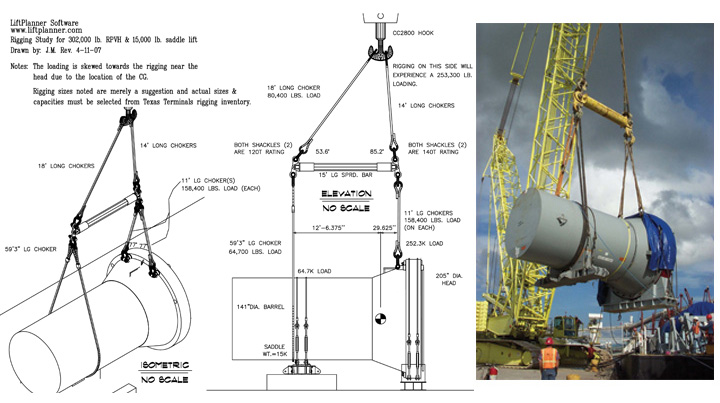
- Documents the entire lift procedure: crane position, radius, load, sling arrangement
- Reduces time spent on manual drawing preparation
- Professional output ready for submission to HSE, project owners, or project management
Dual Unit System Support
- Suitable for domestic projects (TCVN – metric) and international projects (ASME – Imperial)
- Engineers no longer need manual unit conversion, reducing calculation errors
- Flexible when working with international suppliers or partners
- Seamless integration with existing AutoCAD workflows
A Comprehensive Toolset for Professional Lifting Planning
Pre-Built 3D Crane Fleet Models
- Models include full technical specifications: load capacity, boom length, radius, working angles
- Engineers do not need to build crane models from scratch — saving dozens of work hours
- Models are customized to the exact crane brand and model the company owns or leases
- Updated when the fleet changes or new cranes are added
Multiple Crane Manipulation Routines
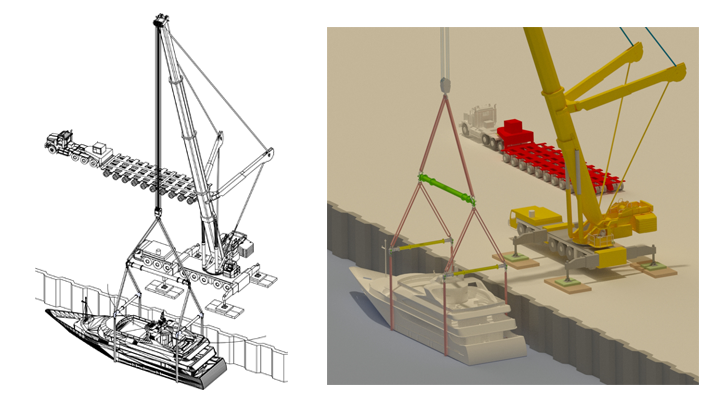
- Move, rotate, and raise/lower the crane boom in 3D space
- Simulate lifting angles, working radius, and hook height
- Perform clearance checks between the crane and surrounding objects
- Test multiple crane positioning scenarios before mobilizing to the field
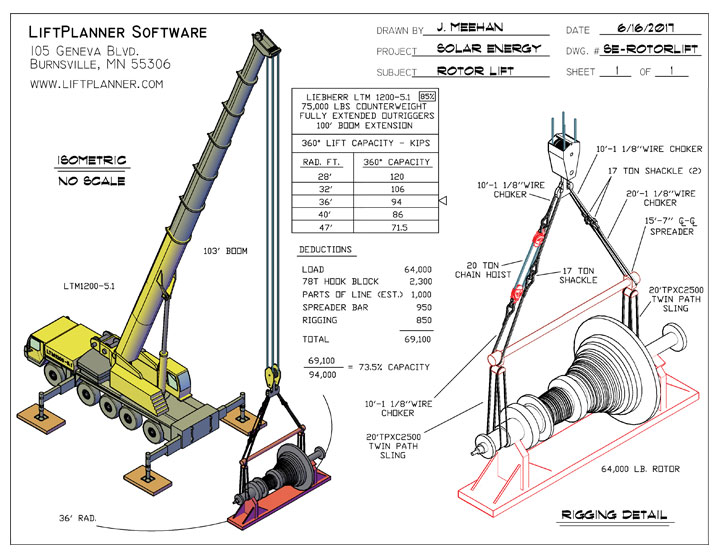
Crane Load Chart Retrieval
- No need to consult external load chart manuals
- Load values are displayed accurately based on the actual radius and boom angle in the model
- Reduces risk of misreading or incorrectly interpolating load values
- Supports fast and accurate decision-making for engineering and HSE teams
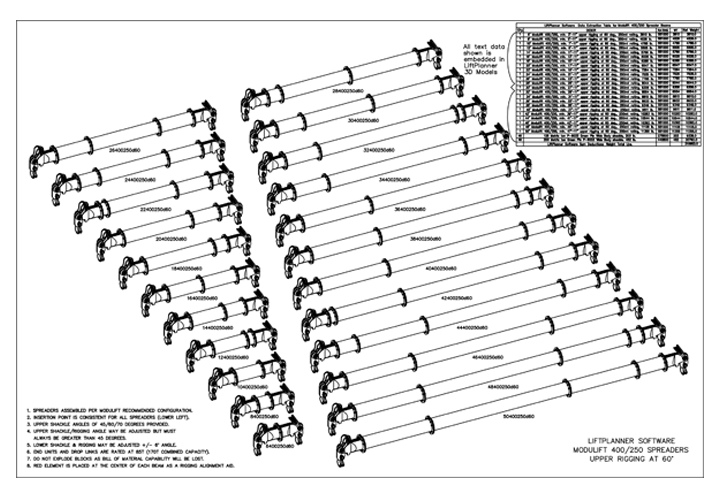
Sling & Rigging Hardware Library
275 pre-built slings (chokers/cables) with weight and working load limit (WLL) data- Automatic rigging weight summation program
Shackle library ranging from 6 tons to 700 tons- Engineers do not need to consult supplier catalogs, all specifications are within the software
- Reduces time for selecting and verifying rigging hardware suitability
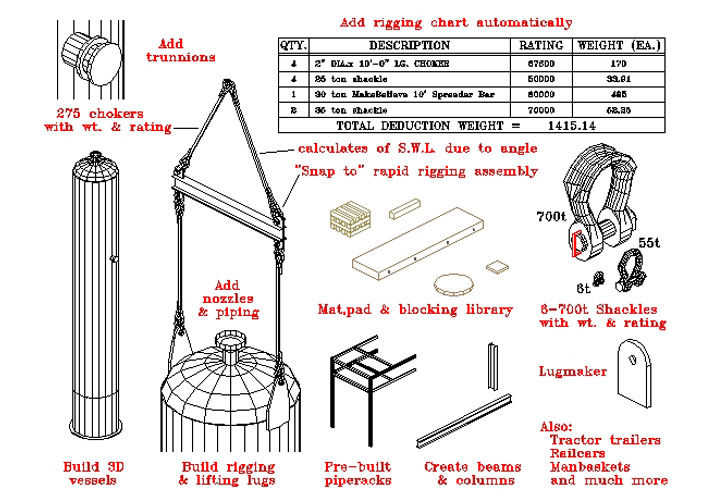
Lift Environment Creator Programs
- Equipment creators: Vessels, heat exchangers, towers
- Structural steel creators: Beams, columns, supports
- Lifting accessories: Lugs, trunnions, sling arrangements
- Lifting beam creator with full technical specifications
- Piping creator in 3D space
- The lift environment is modeled comprehensively, with no critical element left out
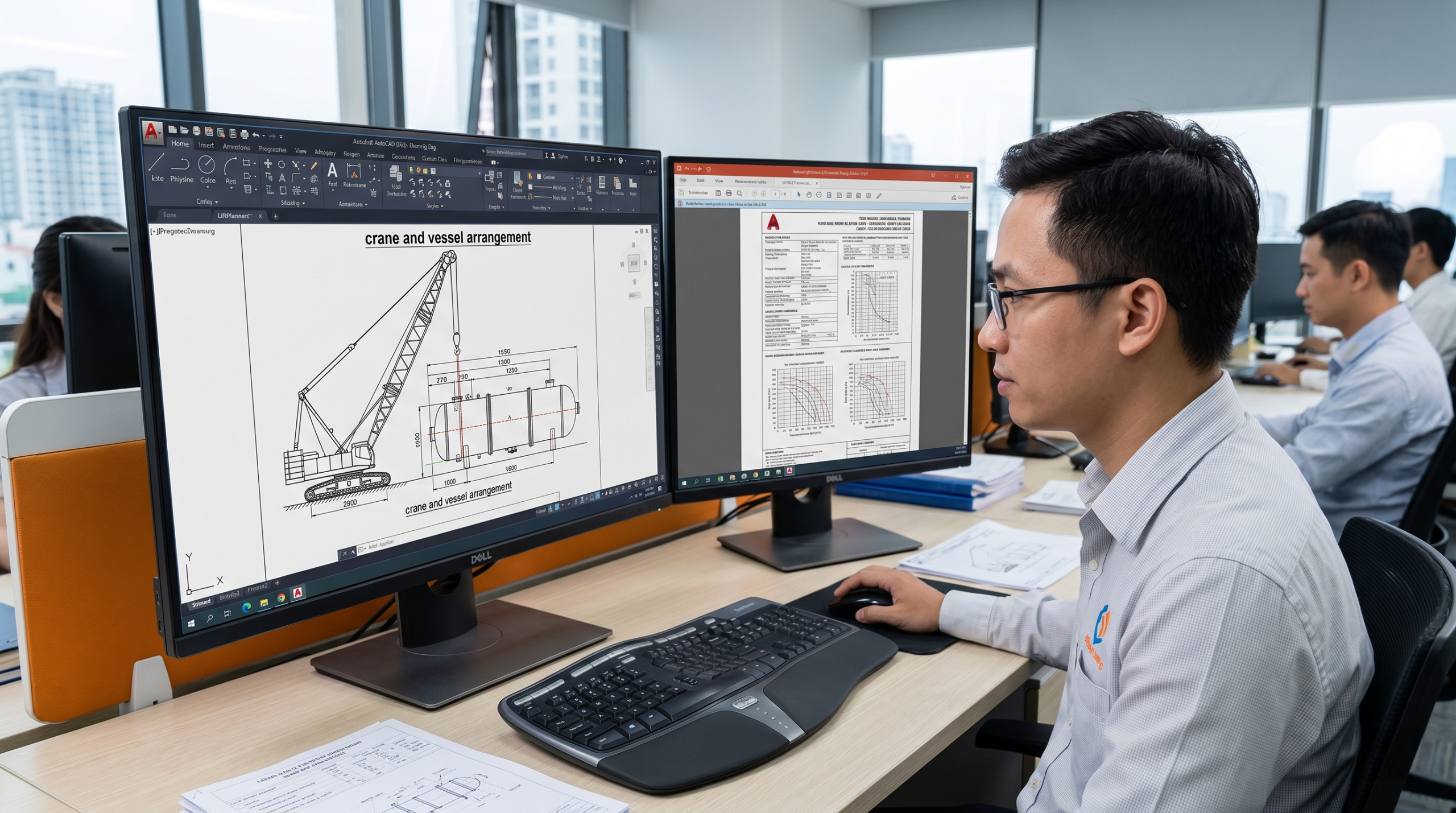
Full AutoCAD Integration
- Compatible with AutoCAD versions 2020 through 2026
- Engineers use the familiar AutoCAD interface, no need to learn a new software from scratch
- Exports drawings in industry-standard DWG/DXF formats
- Integrates seamlessly with existing project design and document control workflows
Which Industries Does LiftPlanner Serve?
Every industry with critical lifting requirements needs an accurate and reliable planning tool.
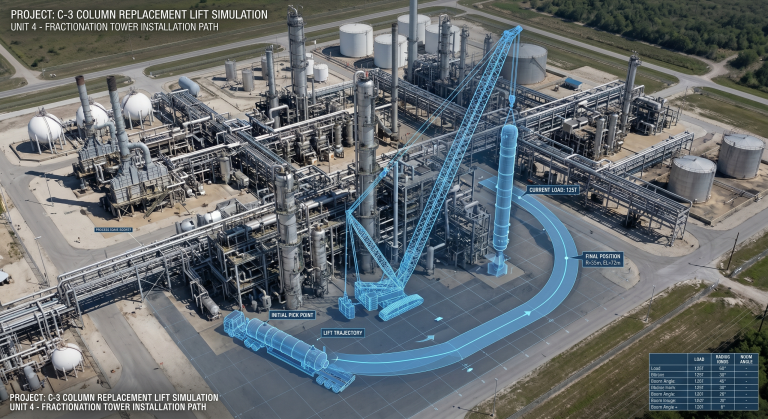
Oil & Gas
- Vessels, columns, heat exchangers at refineries
- Structural steel modules for offshore platforms
- High-pressure piping
- Strict compliance with ASME, API, and HSE regulations

Chemical & Petrochemical
- Reactors, distillation columns, storage tanks
- Complex piping systems with multiple branches and valves
- Hazardous environments requiring detailed, pre-approved lift plans
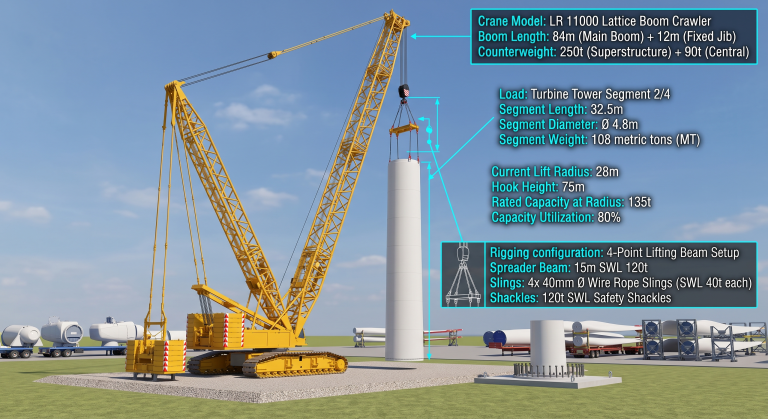
Power & Energy
- Turbines, generators, transformers at power plants
- Wind turbine towers and blades
- Concrete and steel components at hydroelectric projects
- Lift plans must ensure project schedule continuity (schedule-driven)
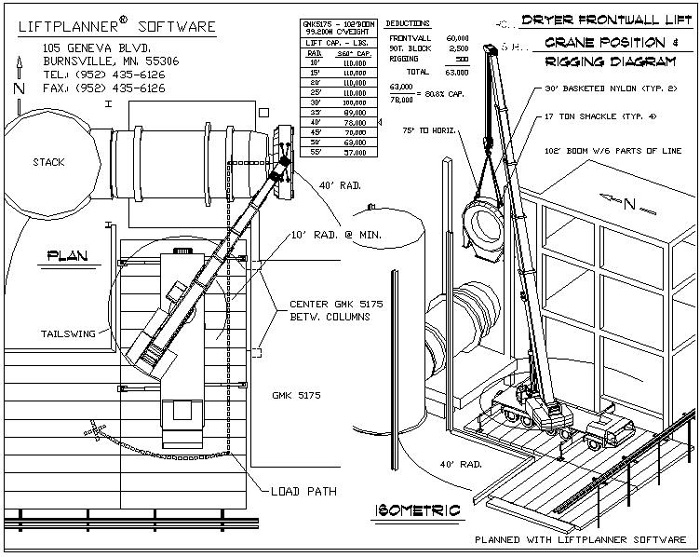
Industrial Construction & EPC
- Structural steel prefabrication and erection
- Lifting prefabricated modules
- Mechanical equipment at industrial plants
- Multi-contractor coordination, clear lift drawings required for approval and safety briefings
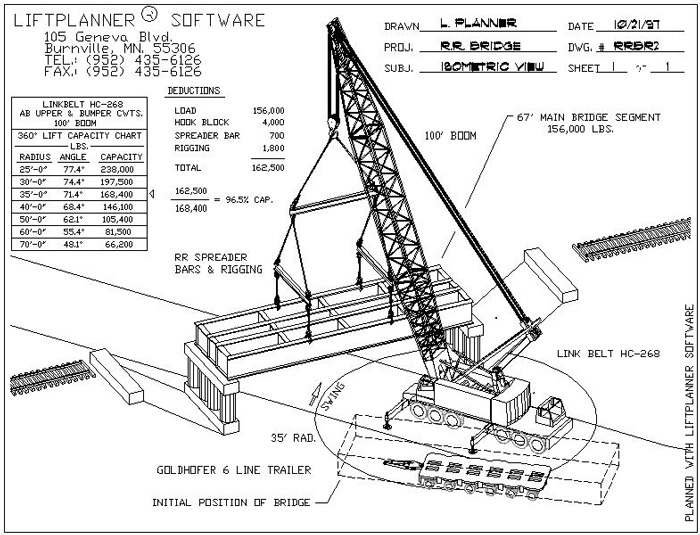
Infrastructure & Transportation
- Bridge girders, crawler cranes operating on construction sites
- Heavy mechanical equipment at ports and terminals
- Lift plans must coordinate with construction schedules and traffic management
Answers to Your Questions About LiftPlanner
The most common questions from engineers and project management teams when learning about LiftPlanner 3D lifting planning software
No. LiftPlanner operates on the AutoCAD platform, versions 2020–2026. You need an AutoCAD license to use LiftPlanner.
LiftPlanner supports both metric and Imperial unit systems, compatible with domestic TCVN standards and international ASME standards.
LiftPlanner is custom made to include the cranes in your fleet. The vendor will pre-build 3D models for each crane based on the actual specifications you provide.
Yes. The software includes two-blocking warnings and angle limit warnings to ensure safety in the lift plan.
LiftPlanner includes 275 pre-built slings (chokers) with weight and WLL data, plus a shackle library from 6 tons to 700 tons. The software also features an automatic rigging weight summation program.
LiftPlanner requires Windows 10 Professional or Windows 11 Professional.
Yes. LiftPlanner is suitable for critical lift planning in oil and gas, chemical, energy, industrial construction, and infrastructure sectors. Please contact True Tech for project-specific consultation.
Contact True Tech – LiftPlanner Distributor in Vietnam
Sign up for a free demo, get a quotation or receive technical consultation regarding LiftPlanner for your lifting projects.

